
Vox Seas Stats, Resets and Saved Builds
Manage your damage stats, Health and Stamina through Character → Stats. Use Save to commit point allocations, Reset to redistribute saved points, and Builds to save equipment combinations.
Open Character → Stats, set the adjustment quantity, use a stat’s right arrow, then press Save. Before saving, withdraw newly allocated points with the left arrow. Reset consumes one reset charge, returns allocated points and sets all five allocation values to 1 while retaining additional bonuses. Save equipment combinations separately through Character → Builds using the intended slot’s Save button.
The Five Stats
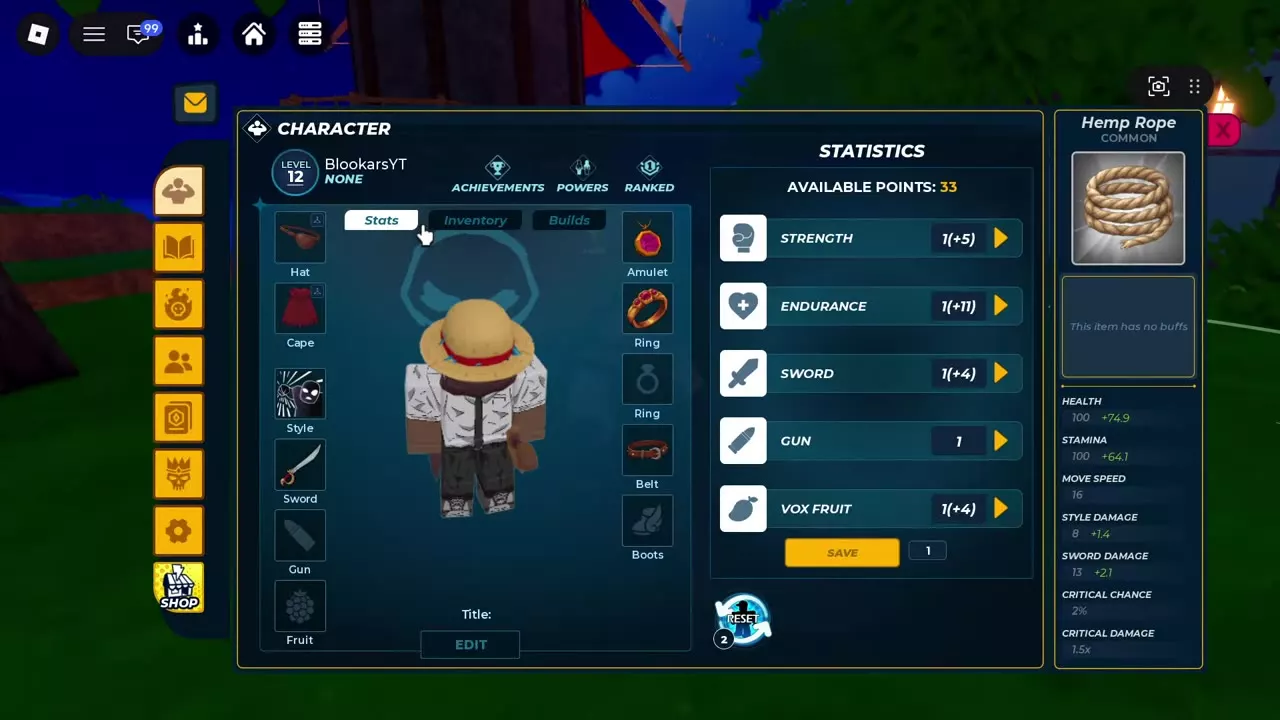
Open Character → Stats to find Strength, Endurance, Sword, Gun, Vox Fruit and your Available Points.
Choose Strength for fighting-style damage, Sword for sword-focused combat, or Vox Fruit for fruit-focused damage. Gun has its own separate allocation. Endurance increases both Health and Stamina, supporting survival and your stamina budget alongside your chosen damage stat.
Read allocations and bonuses separately
In Strength 200 (+3), 200 is the allocated stat value and +3 is an additional bonus. Available Points is the unspent pool you can assign.
Read the resulting character statistics on the right side of the menu. Those character totals are separate from the selected item’s own bonuses; selecting an item does not make every displayed character statistic an effect of that item.
For example, raising Endurance from 101 to 125 changes displayed base Health and base Stamina from 600 to 720 in that configuration. With Wyrmborn’s 5% maximum-Health bonus, raising Endurance from 7 to 13 changes base Health from 130 to 160 and its additional Health from +6.5 to +8. Keep the allocation, resulting base statistic and additional bonus distinct when comparing changes.
5 objects
| Name | Effect | Value after reset |
|---|---|---|
|
Style Damage
|
1 stat point (After Reset Stats)
| |
| ||
|
Health and Stamina
|
1 stat point (After Reset Stats)
| |
| ||
|
Sword Damage
|
1 stat point (After Reset Stats)
| |
| ||
Gun |
— |
1 stat point (After Reset Stats)
|
|
Fruit-focused damage
|
1 stat point (After Reset Stats)
| |
| ||
Allocate and Save Points
You need Available Points to add to an allocation.
- Open Character → Stats.
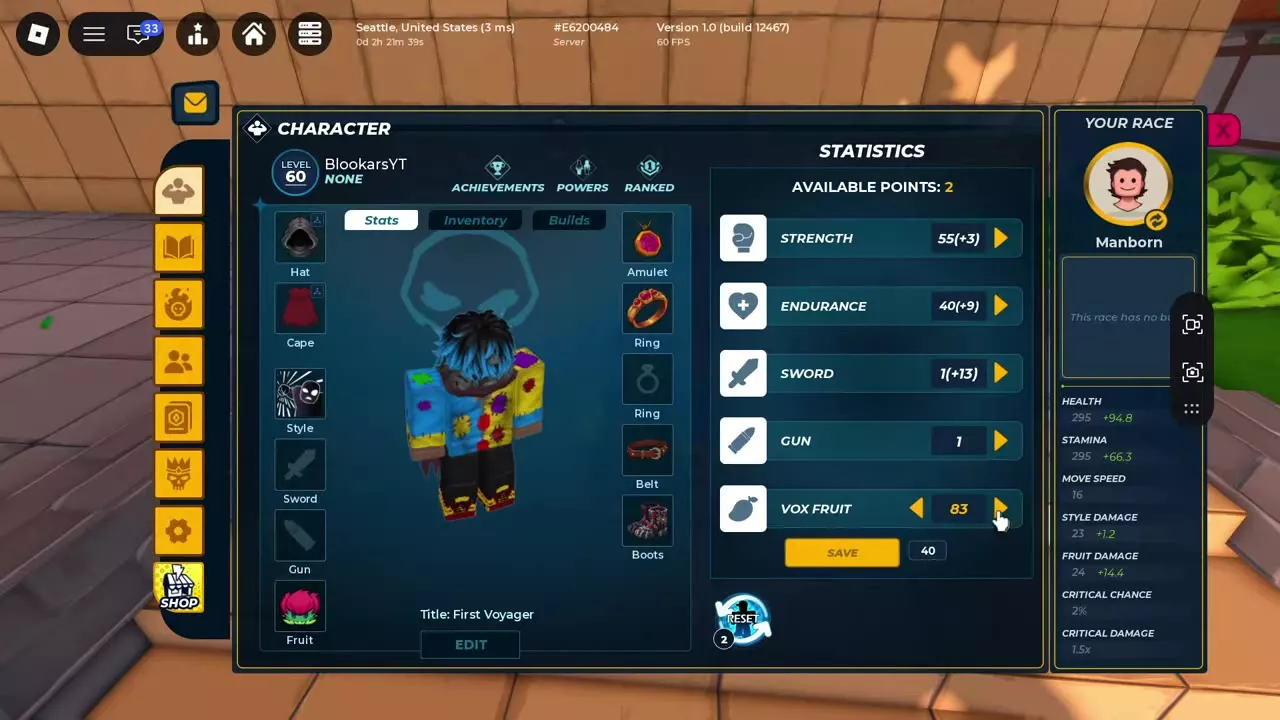
- Set the quantity box beside Save to the number of points you want to adjust per click.
- Press the chosen stat’s right arrow to allocate points.
- To revise the pending allocation, set the adjustment quantity and press that stat’s left arrow to withdraw newly allocated points.
- Press Save to commit your changes.
If the quantity exceeds your remaining Available Points, the right arrow uses the remaining points. For example, with Vox Fruit at 43 and 42 points available, a quantity of 40 adds 40 points, bringing Vox Fruit to 83 and leaving 2 available. Pressing the right arrow again assigns those final 2 points; saving commits Vox Fruit 85 (+3).
You can save without spending every point. Withdraw any pending points you want to keep, then save the revised allocation. The left arrow only recovers points added during the current unsaved edit; recovering points from a saved allocation requires Reset Stats.
Leaving with unsaved changes
The Unsaved Stats dialog identifies the pending points and offers three choices:
| Button | Result |
|---|---|
| Cancel | Return to editing |
| Save | Commit changes |
| Leave | Discard pending changes |
Choose Cancel to keep adjusting, Save to retain the new allocation, or Leave to abandon the unsaved changes.
Reset Stats
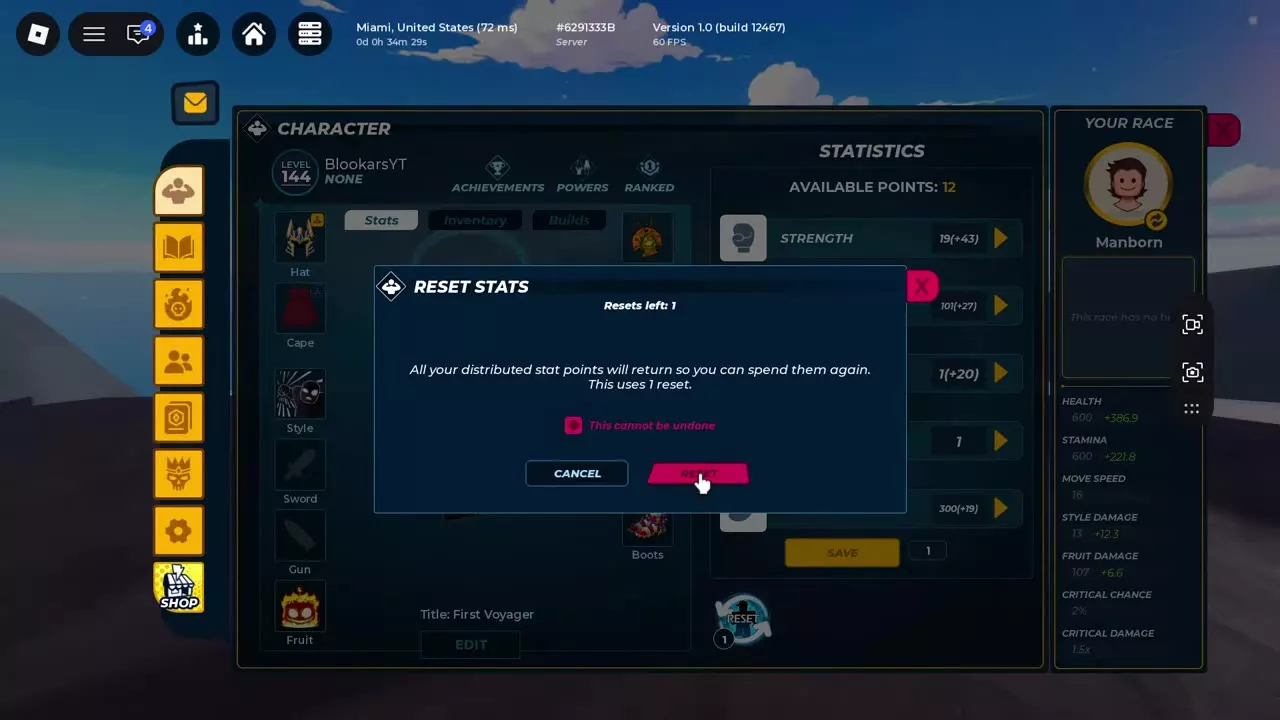
Reset Stats returns your allocated points so you can redistribute them. Confirming the reset is irreversible and consumes one reset charge.
- Open Character → Stats and select Reset.
- Check Resets left. If you already have a charge, use it without buying another.
- If you need a charge, purchase Refund Stats for 30 Robux, then check that the reset counter has increased.
- Read the Reset Stats confirmation and select Reset to spend one charge.
- Allocate the returned Available Points with the quantity box and stat arrows, then press Save.
After confirmation, all five allocation values return to 1. Your existing unspent points remain in the available pool, and additional bonuses stay separate from the reset allocation values.
For example, a saved allocation of Strength 201, Endurance 125, Sword 1, Gun 1 and Vox Fruit 130, with no unspent points, returns 453 Available Points. In that configuration, the additional bonuses remain Strength +43, Endurance +27, Sword +20 and Vox Fruit +19.
Refund Stats supplies a reset charge; confirming Reset Stats spends it. See the shop products guide for other paid character services.
Save an Equipment Build
- Equip the items you want in the configuration.
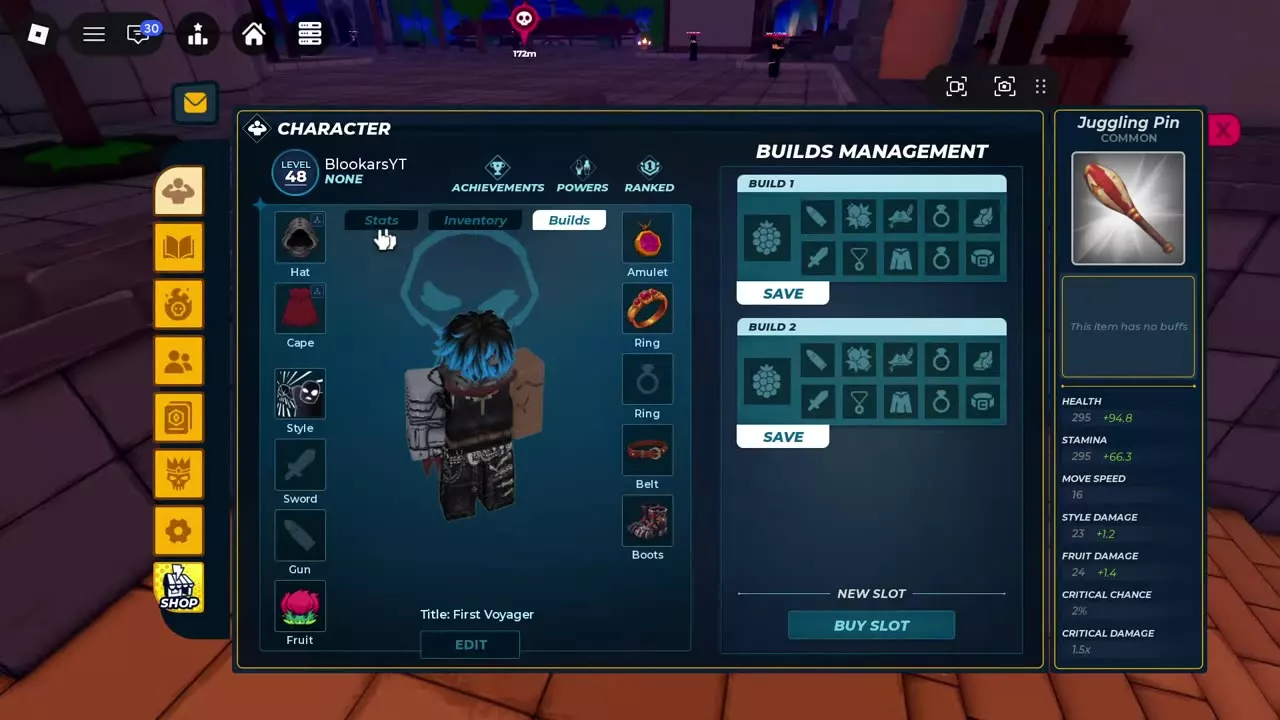
- Open Character → Builds to reach Builds Management.
- Find the intended build slot and press its Save button.
Each slot has its own equipment layout and Save control. In a two-slot configuration, Build 1 and Build 2 each provide a separate Save button, so use the control belonging to the slot you intend to save.
Add another build slot
Select New Slot → Buy Slot, or open SHOP → PRODUCTS and find +1 Build Slot. Each purchase costs 100 Robux and permanently adds one saved-build slot.
Save your stat allocation in Stats and your equipment combination in Builds as separate actions.
Choose a Stat and Equipment Plan
Match your main damage stat to the combat method you plan to use, then include Endurance for Health and Stamina. Compare equipment gains with any set bonus lost when replacing a piece.
Use the fruit, sword and fighting-style builds guide for Blaze farming, early sword allocations and melee configurations. Check accessory requirements and bonuses before equipping the pieces for your chosen setup.