
Vox Seas Party System and Invitation Settings
Use the Party panel to manage a temporary group and decide who can send you invitations.
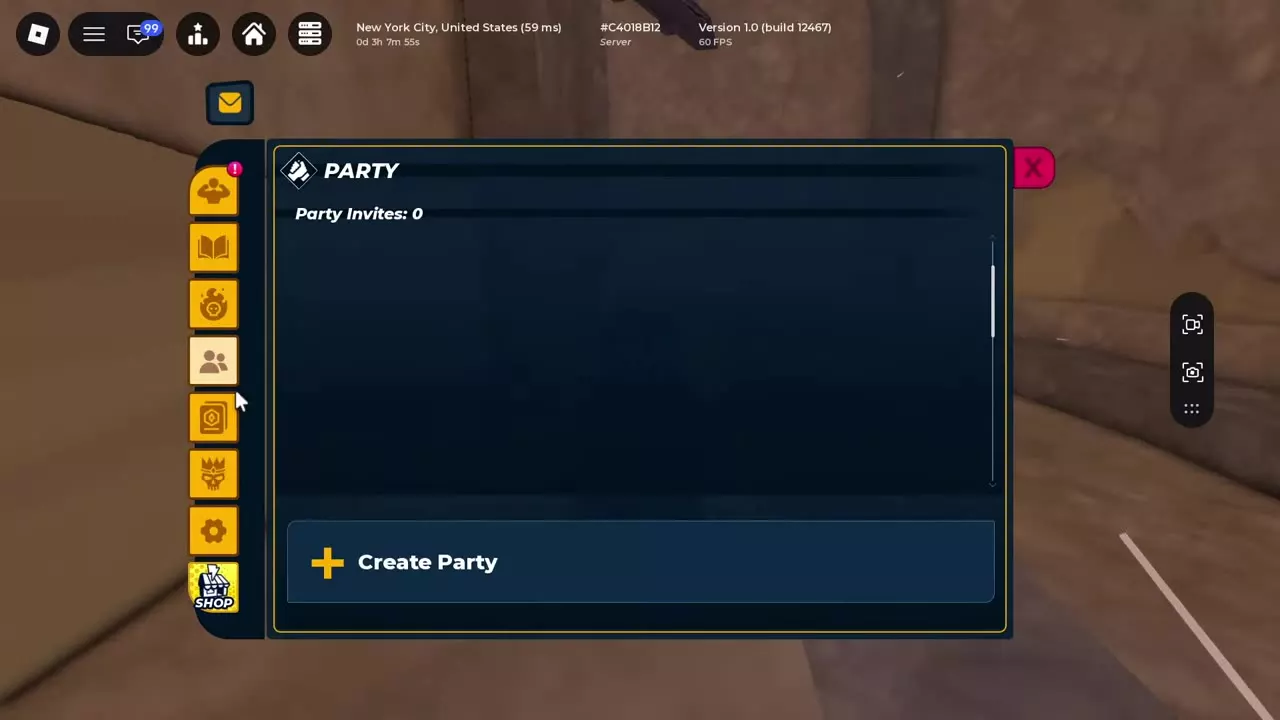
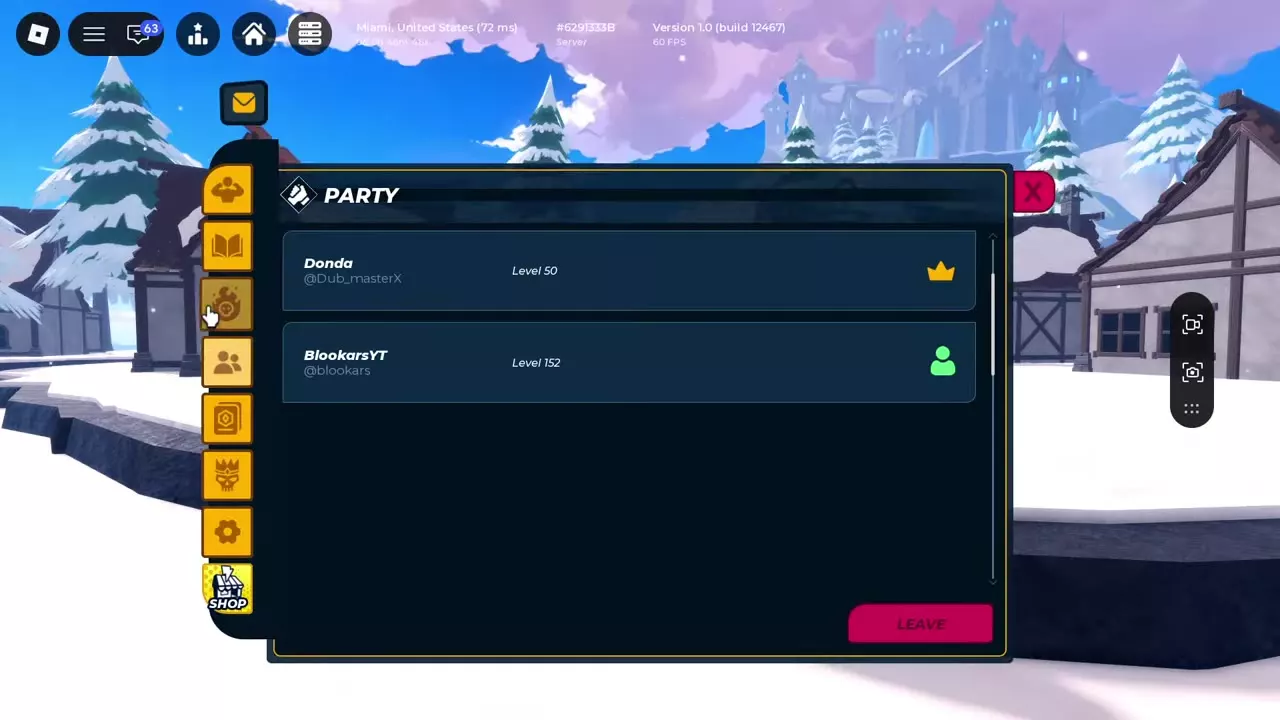
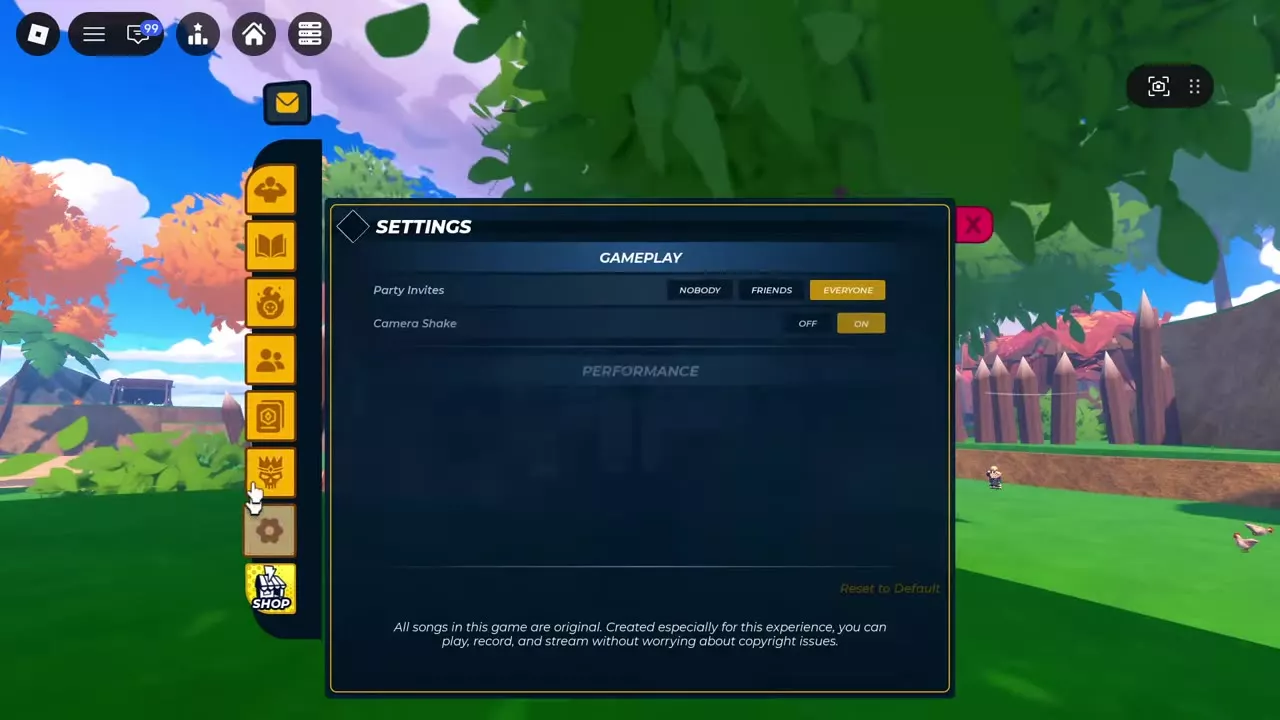
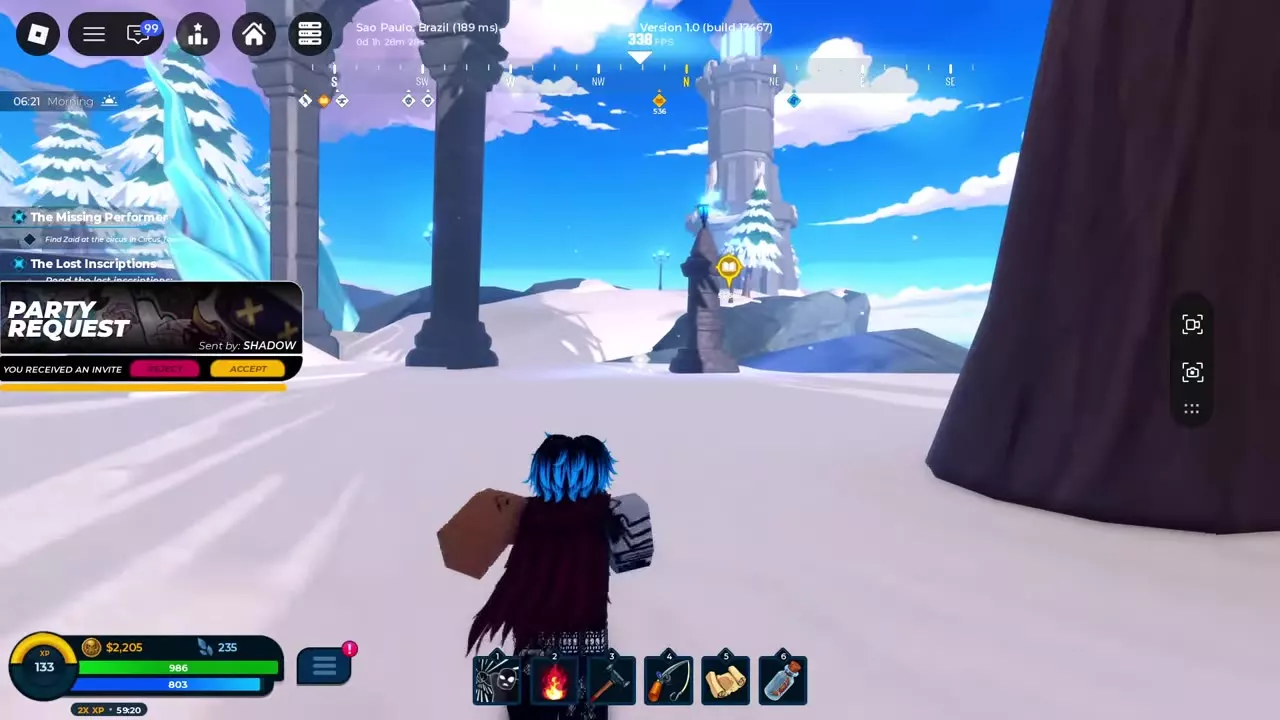
Open Party from the sidebar and select Create Party to start a group. Select Accept on an incoming Party Request to join, or Leave in the member panel to exit. Set Party Invites under Settings → Gameplay to Nobody, Friends or Everyone.
Party Panel
Open Party from the sidebar. The panel shows your received invitation count and a Create Party button. When you are in a party, it lists the members’ names and levels.
Leave and Control Invitations
To leave your current party, open Party from the sidebar and select Leave at the bottom of the member panel.
To control incoming invitations, open Settings using the sidebar gear, find Party Invites under Gameplay, and choose:
- Nobody: Block incoming party invitations.
- Friends: Allow invitations from friends.
- Everyone: Allow invitations from everyone.
Create or Accept a Party
To start a party, open Party in the sidebar and select Create Party.
An incoming Party Request displays the sender’s name. Select Accept to join or Decline to reject it.
Crews and Group Activities
- Crews: Creating or joining a crew requires Level 200. Creating one also costs 200,000.
- Arena: Choose a 1v1, 2v2 or 3v3 mode; Ranked requires Level 200.
- Boss rooms: Rovan and Veyrn rooms admit 1–8 players. Every participant must meet the selected difficulty’s level requirement, and the host supplies the entry item. Invited players must be near the room keeper.