
Vox Seas Arena Guide: Ranked Matches and Queues
Enter the Vox Seas Arena to fight in 1v1, 2v2, or 3v3 matches. Ranked play begins at Level 200.
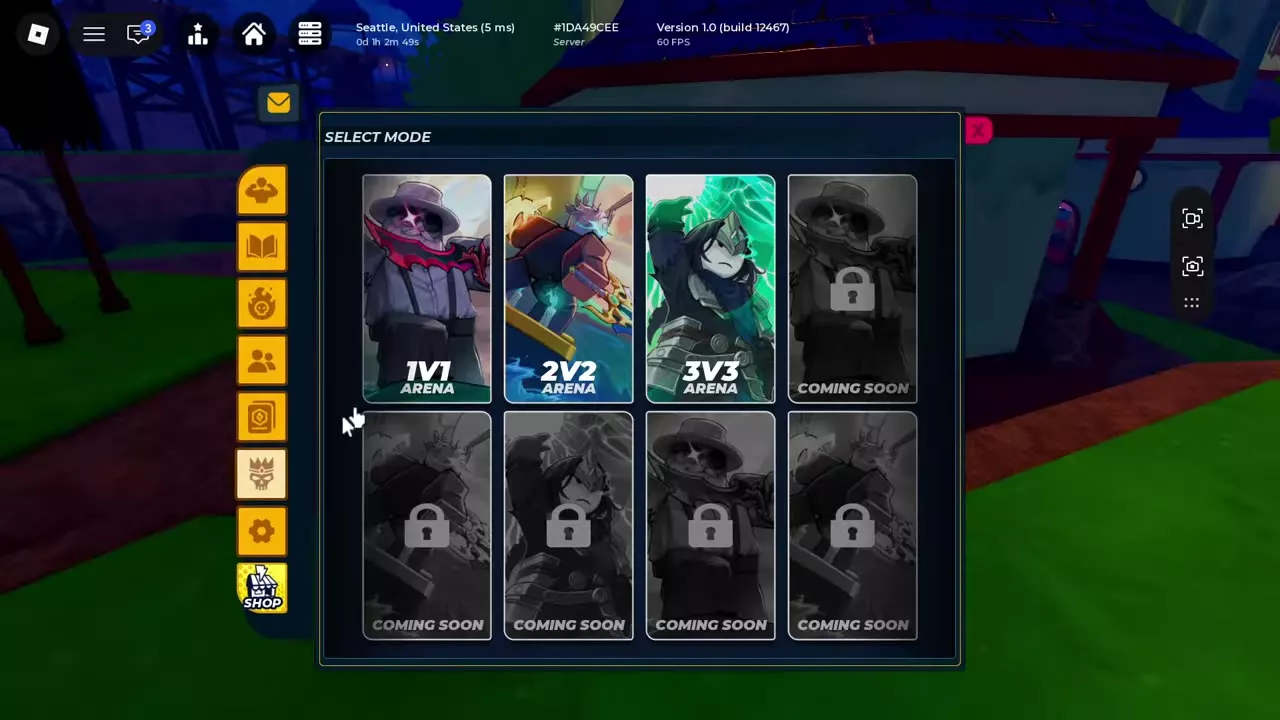
Reach Level 200 for Ranked, open the crown icon on the left sidebar, choose an Arena mode, and press Start. Use Cancel to stop searching, or close the menu and continue playing while you wait. Afterward, check the matching Ranked leaderboard in Hall of Fame.
Arena Modes and Ranked Requirements
Open the crown icon on the left sidebar to reach Select Mode. Choose 1v1 Arena, 2v2 Arena, or 3v3 Arena. Ranked matches require Level 200. Five additional mode slots are locked and marked Coming Soon.
Create a Match and Manage the Queue
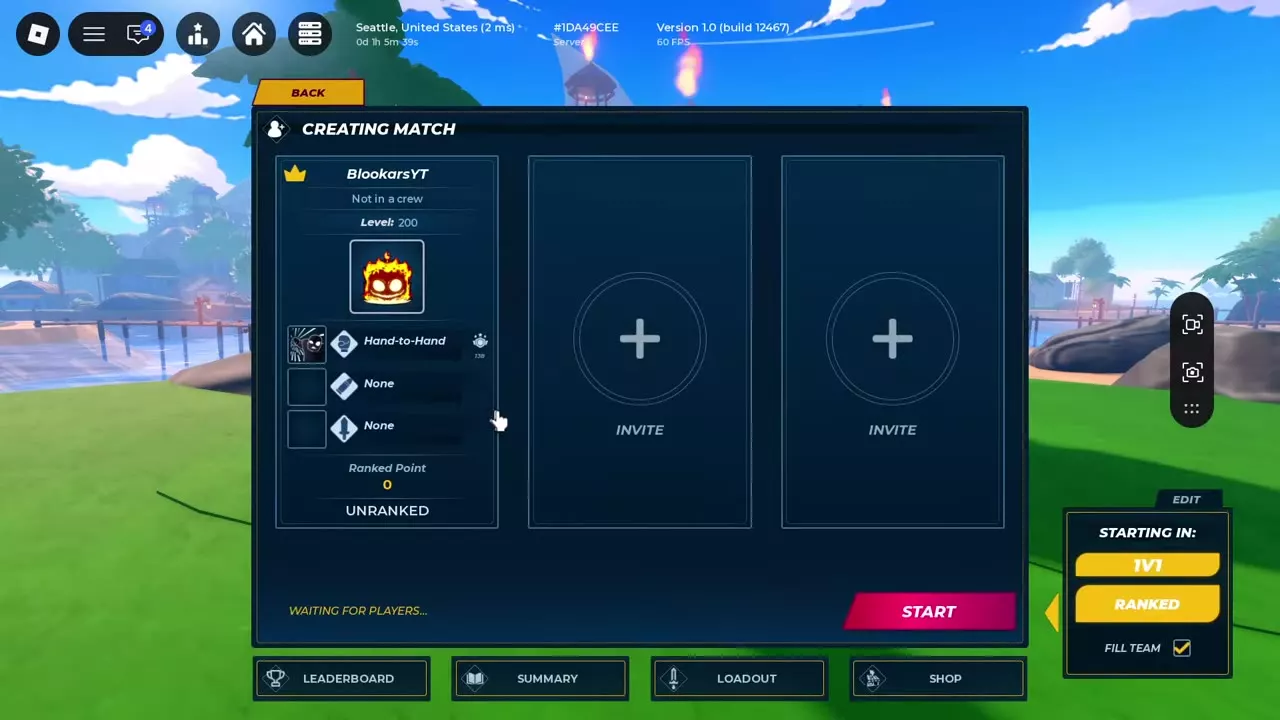
- Select an Arena mode to open Creating Match.
- Review the mode, Ranked setting, and Fill Team checkbox. The 1v1 Ranked lobby also has two Invite slots.
- Press Start to search. Searching Match displays an elapsed timer and a Cancel button.
- Use Cancel to stop searching. Use Back in Creating Match to return to mode selection.
You can close the menu and continue moving and interacting with the world while the search remains active. The match loads when matchmaking finds an opponent.
Ranked 1v1 Rounds
Before the fight, the versus cards show each player's name, level, and equipment or ability icons. Check the opponent's fruit icon to plan your response; players of different levels can be matched.
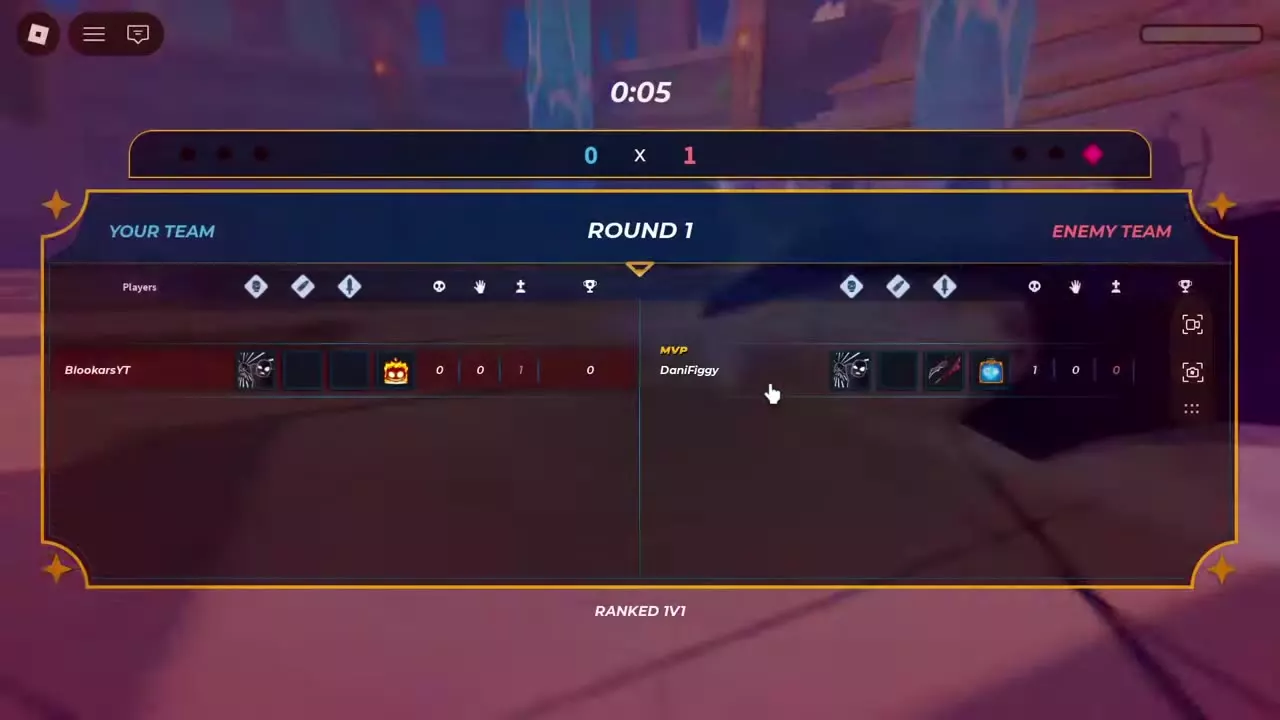
Wait for the countdown and Go to begin. A round starts with a timer of approximately three minutes. After a round, the summary shows the score, player statistics, and MVP. Both players return to the arena with restored status bars before the next countdown.
If you take heavy damage, create distance and circle the arena while watching your health and skill cooldowns. In one exchange, health recovered from approximately 247 to 461 while the player moved away before fighting again.
Results and Ranked Leaderboards
The final result displays the outcome, points, and rank, with Details and Exit controls. In one three-round defeat, the result displayed 0 Points and Unranked. Fighting in the Arena unlocks the Gladiator achievement, including after a defeat.
To check your standings, open Hall of Fame with the leaderboard icon at the top of the screen. Select Ranked, then choose 1v1, 2v2, or 3v3. The leaderboard includes Rank, Name, Elo, Score, and your personal row. It also shows the season label and remaining-time countdown; Last Season lists the previous season's top three.
Bounty and its season rewards have a separate leaderboard and reward structure.
Combat and Party Controls
Review combat and open-world PvP for general attacks and recovery, or party controls and invitation settings for temporary party management.